
Download IPTV Extreme APK – IPTV Player, Live TV Streaming, M3U Playlist Support
Overview
IPTV Extreme is a free multimedia application designed as an IPTV player for Android devices. Developed by Paolo Turatti, the software enables users to stream live television content directly from their mobile devices. It functions as a playback engine for IPTV streams, allowing access to a wide range of channels through user-provided playlists. The app does not host or distribute any TV content itself, relying instead on external subscriptions for live streams. This makes it a utility tool rather than a content provider.
Its primary purpose is to deliver a smooth and customizable viewing experience for users who already have an IPTV subscription. The target audience includes consumers seeking a reliable way to watch live TV on smartphones and tablets. Real-world usage scenarios involve streaming sports events, news, entertainment channels, and international programming on the go. The app supports multiple electronic program guides (EPG) and M3U playlist formats, enhancing usability for users managing diverse channel lineups.
Since the developer did not provide additional system requirements, specific hardware compatibility details remain unspecified. The app is designed for Android, but exact OS version support is not outlined. Users should ensure their device meets general Android performance standards for media playback.
Key Features & Capabilities
- M3U Playlist Support – IPTV Extreme accepts standard M3U playlist files, allowing users to import and manage their favorite channel lists from subscription providers.
- Multi-EPG Integration – The app supports multiple electronic program guides, enabling users to view broadcast schedules and plan viewing sessions effectively.
- Live Streaming Recording – Users can record live broadcasts, though the duration is limited by the app’s internal constraints.
- Parental Control & PIN Protection – A built-in security feature allows users to restrict access to specific playlists and set PIN codes to prevent unauthorized use.
- Flexible Media Player Integration – While the app includes a built-in video player, it also allows users to route streams to preferred third-party players.
- Fast Channel Switching – Optimized navigation enables quick transitions between channels, improving overall viewing efficiency.
These features are particularly beneficial for users managing multiple subscriptions or organizing channels by category. The ability to record live content adds value for users who want to catch up on missed programs. The PIN protection feature enhances privacy, especially in shared or family environments. The app’s focus on compatibility with standard IPTV formats ensures broad usability across different service providers.
User Interface, Workflow & Performance
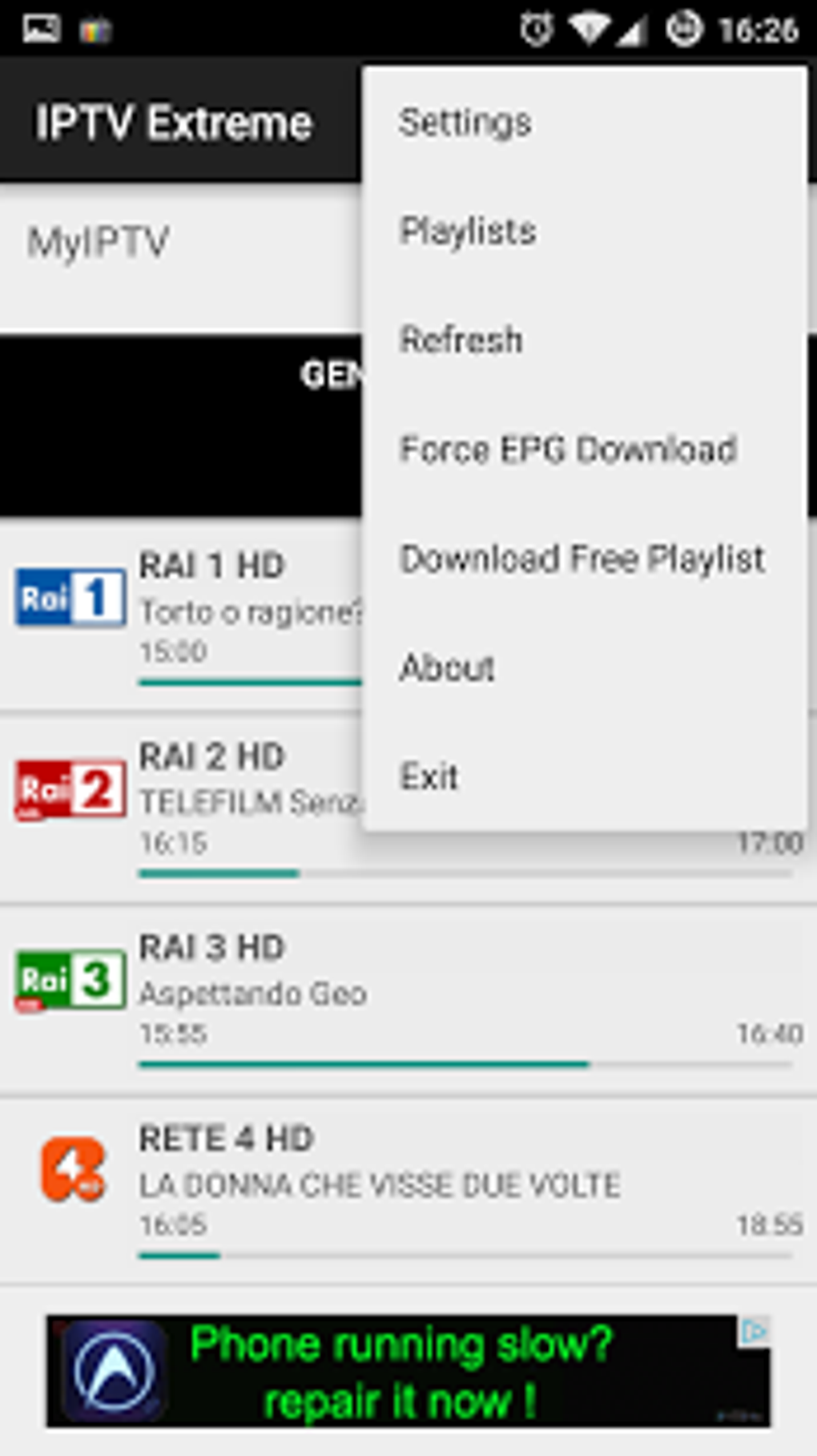
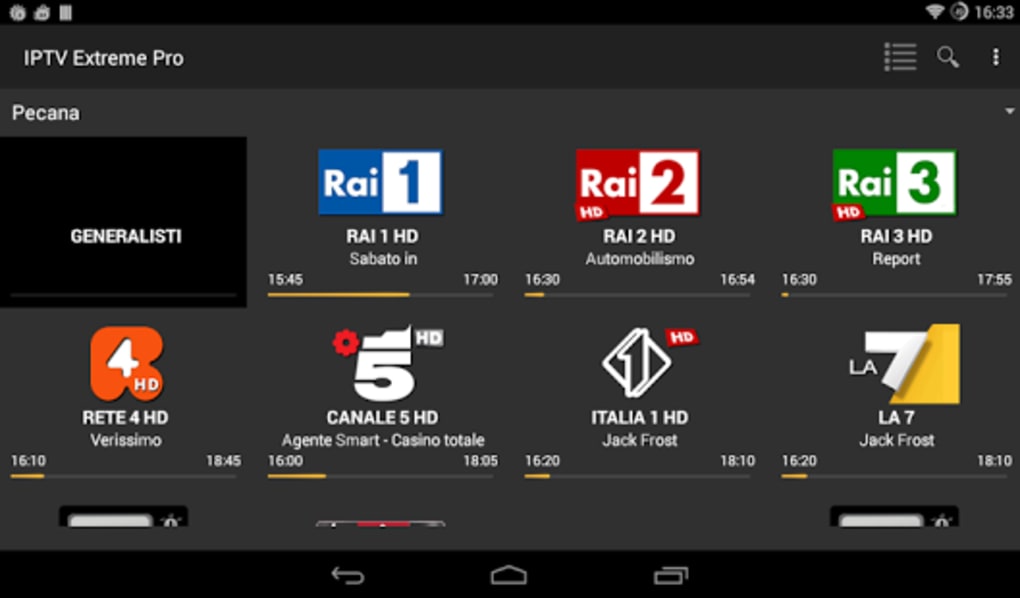
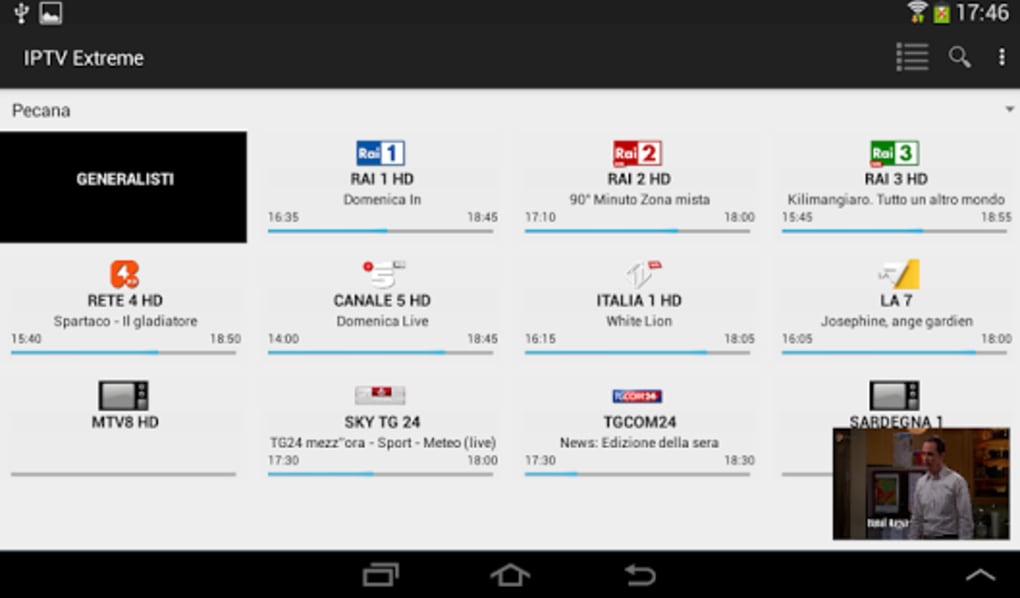
The user interface of IPTV Extreme is designed for simplicity and direct access to core functions. Navigation is structured around a channel list, playlist manager, and settings menu. The layout prioritizes usability, with minimal clutter and intuitive controls for playback, recording, and playlist management.
Workflow efficiency is enhanced by features like instant channel switching and quick access to EPG data. Users can load playlists, switch between them, and begin streaming with minimal steps. The app’s performance is consistent with typical Android media applications, though exact resource usage details were not specified.
Stability is expected to be reliable for standard playback tasks, but real-world performance may vary based on network conditions and device capabilities. The developer did not specify CPU or RAM behavior, so users should rely on general Android device performance benchmarks. No reports of crashes or freezes were included in the provided information.
Compatibility & System Requirements
IPTV Extreme is available exclusively for Android devices. The latest version is 3.5.0, released on January 11, 2024. The APK file size is 12.4 MB, indicating a lightweight installation. The developer did not specify exact system requirements, including minimum Android version or hardware specifications.
Compatibility information is limited, so users should verify that their device supports APK installations and has sufficient processing power for smooth video playback. The app does not require a specific GPU or RAM amount, but performance may depend on the device’s media decoding capabilities. No official support for iOS or desktop platforms was mentioned.
Pros and Cons
Pros
- Free to download and use
- Supports M3U playlists and multiple EPGs
- Offers live streaming recording with time limits
- Includes parental control and PIN protection
- Lightweight installation (12.4 MB)
- Flexible integration with third-party video players
Cons
- Requires a valid IPTV subscription to function
- No built-in TV channels or content
- Exact system requirements not provided
- Recording feature has time limitations
- Not available for iOS or desktop platforms
FAQ Section
Is IPTV Extreme available for iOS devices?
IPTV Extreme is currently only available for Android. There is no official version for iOS or desktop operating systems.
Is the app safe to download and use?
The app is developed by Paolo Turatti and distributed as an APK file. Users should download from trusted sources to ensure security. As with any third-party app, it’s recommended to scan the file with antivirus software before installation.
Does IPTV Extreme require a subscription to work?
Yes. The app itself does not provide any TV channels. It acts as a player that requires a valid IPTV subscription with access to M3U playlists or EPG data.
Can I use my own video player with IPTV Extreme?
Yes. The app supports external video players, allowing users to route streams through their preferred media application.
How often does IPTV Extreme receive updates?
The latest version is 3.5.0, released on January 11, 2024. The update frequency is not specified, but the developer appears to maintain the app regularly.
Final Thoughts + CTA
IPTV Extreme is a capable and lightweight IPTV player tailored for Android users with existing subscriptions. Its support for M3U playlists, multi-EPG, and built-in security features makes it a solid choice for those seeking a customizable streaming experience. While it lacks content of its own, it excels as a reliable playback tool with useful extras like recording and PIN protection.
It is especially beneficial for consumers who want to watch live TV on mobile devices without relying on proprietary apps. However, users must have a subscription to access content. If you’re an IPTV subscriber looking for a free, efficient player with advanced features, IPTV Extreme is a strong option.
Download IPTV Extreme now





.png)

